

Best Interactive Task Cards 2026: Top 5 Ranked

Imagine walking into a classroom where every student is leaning forward, pencil in hand, solving mysteries instead of passively copying notes. That's what interactive task cards do—they transform learning from something that happens *to* students into something students actively *discover*.
If you're hunting for the right interactive task card platform, you're facing a real decision. Should you go with a ready-made solution? Build your own? Look for something that tracks progress automatically? The choice matters because the wrong tool can waste your time, bore your students, or leave you scrambling to grade dozens of activities.
We've tested the leading interactive task card platforms and ranked them based on ease of use, engagement quality, customization, data tracking, and real classroom impact. Here's what we found.
Why Interactive Task Cards Matter Right Now
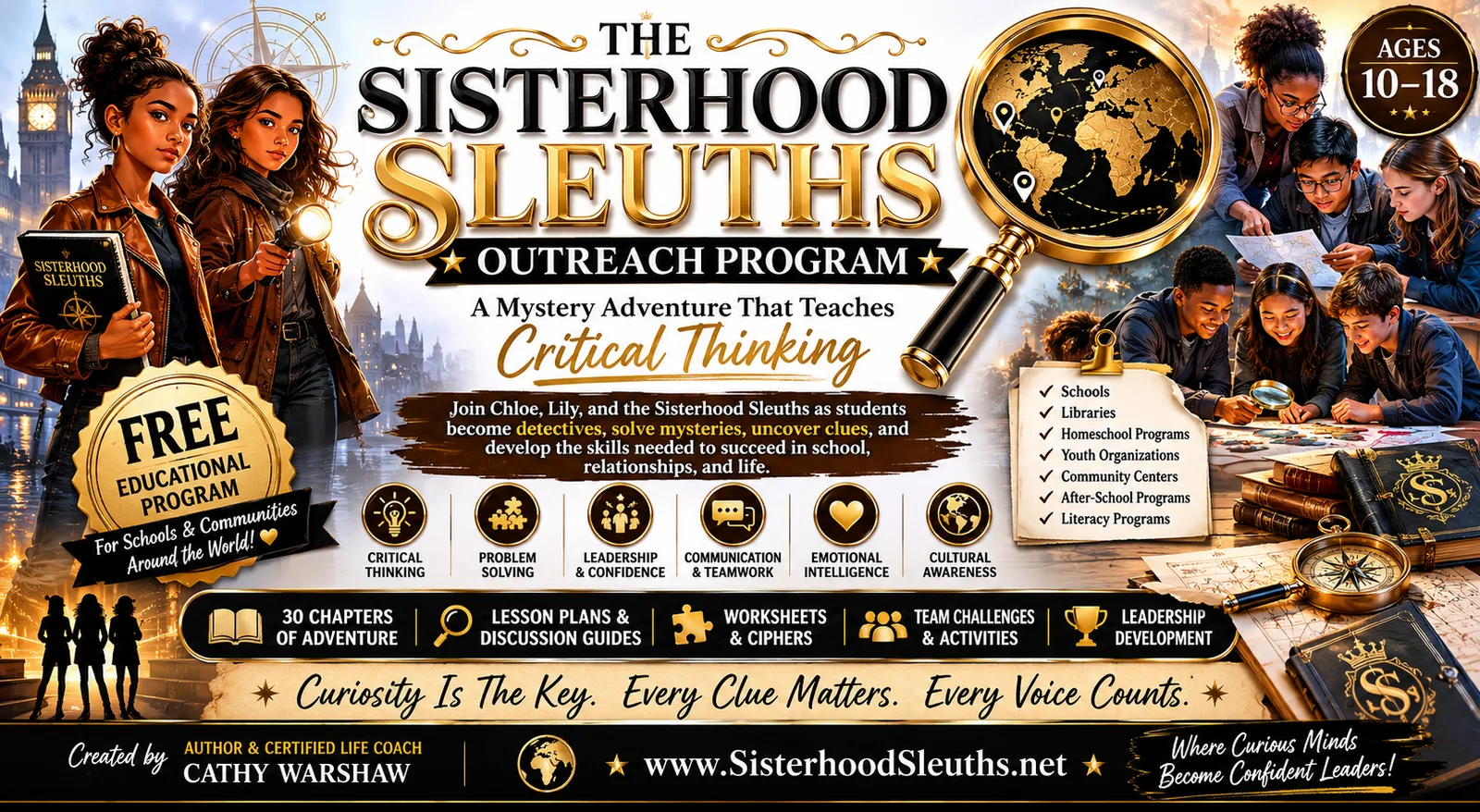
Interactive task cards aren't just a trendy classroom tool—they're solving real problems teachers face every day. Sisterhood Sleuths has been exploring how game-based learning and interactive activities deepen critical thinking, and the research backs it up.
Here's what makes them powerful:
They save you time. Self-grading and automatic progress reports mean you're not spending hours reviewing papers.
They build confidence. Students practice independently, fail safely, and try again—that builds resilience.
They sharpen critical thinking. Well-designed task cards force students to analyze, infer, and puzzle through information rather than memorize it.
They work for everyone. Whether you're running warm-ups, partner activities, or scavenger hunts, task cards adapt to your classroom rhythm.
The catch? Not all task card platforms are created equal. Some have gorgeous interfaces but limited customization. Others let you build anything but require a PhD in tech to set up. Let's break down your best options.
The Comparison Table: Quick Ranking
#1: Sisterhood Sleuths (Our Pick)
Rating: 9.8/10
If you want interactive task cards that don't just test knowledge but actually grow problem-solvers, Sisterhood Sleuths is in a league of its own.
What sets Sisterhood Sleuths apart is the philosophy beneath it. Every activity is woven into real narratives—students aren't just answering questions, they're uncovering clues in a mystery, following threads of logic, and discovering cultural connections that stick with them. This isn't busywork with a window dressing. It's learning through storytelling.
Ask a Question?
Pros:
Narrative-driven engagement. Students solve actual mysteries rather than drill isolated questions. That transforms motivation from external (grades) to internal (curiosity).
Builds cultural curiosity. The interactive content weaves in global perspectives, history, and real-world context. Students don't just learn facts—they explore *why* those facts matter.
Scaffolded difficulty. The platform grows with your students. Younger readers get guided clues; older teens face complex ciphers and multi-step inference puzzles.
Works across formats. Interactive magazine content, audiobooks, task cards, and merchandise all reinforce the same characters and mysteries, so learning extends beyond the classroom.
Teacher time savings. Progress is tracked automatically, and the narrative structure means you're facilitating discovery, not grading dozens of worksheet variations.
Cons:
Requires buy-in to the mystery series—not ideal if you want completely standalone, curriculum-agnostic task cards.
Less customizable than some platforms if you need to swap in your own content wholesale.
Honest assessment: If your goal is to spark curiosity while teaching critical thinking, Sisterhood Sleuths is your clearest win. You're not just getting task cards—you're getting an entire adventure-based learning ecosystem.
#2: Boom Cards
Rating: 8.5/10
Boom Cards is the reliable workhorse of the interactive task card world. If you need fast, flexible, ready-made activities with minimal setup time, it delivers.
Pros:
Massive activity library. Thousands of pre-made task cards covering virtually any standard or topic. You can assign within minutes.
Automatic grading and reporting. Real-time dashboards show you exactly where each student stumbles. This alone saves hours per week.
Highly customizable. If you want to tweak an activity or build your own, the drag-and-drop builder is straightforward.
Cons:
Tasks tend to focus on skill drills rather than deep critical thinking. You're building fluency, not problem-solving.
Limited narrative or contextual depth—activities feel more like digital flashcards than immersive learning experiences.
#3: Nearpod
Rating: 8.2/10
Nearpod shines when you want real-time interaction between you and your students. It's built for whole-class engagement during instruction, not independent practice.
Pros:
Live polling and response collection. You see student answers as they submit, which lets you adjust instruction on the fly.
Collaborative features. Students can draw, annotate, and respond together, making it excellent for small-group work.
Integrates with major LMS platforms. Works seamlessly in Canvas, Google Classroom, or Schoology.
Cons:
Requires you to be present and guiding the activity—not ideal for independent student work.
Less built-in content library than competitors. You'll spend time building rather than assigning.
#4: Peardeck
Rating: 7.8/10
Peardeck is another real-time formative assessment tool, similar to Nearpod but with a slightly different feel.
Pros:
Teacher-led instruction. Works beautifully when you're presenting and checking for understanding simultaneously.
Anonymity options. Students can answer without names showing, which sometimes increases honest feedback.
Smart pairing. The platform suggests which student responses to highlight for discussion, helping you facilitate peer learning.
Cons:
Also requires active teacher facilitation—not designed for student independent work.
Smaller activity library and less third-party content available.
#5: Google Forms
Rating: 7.0/10
Google Forms is free and already in your Google Workspace account, which makes it tempting. And honestly, for simple quizzes and quick checks, it works.
Pros:
Zero cost and instant integration. It's already there. No learning curve, no signup.
Auto-grading for multiple choice and short-answer patterns. You can save time on routine checks.
Responses flow into Google Sheets, so data analysis is straightforward.
Cons:
Limited interactivity. It's a form, not a game or immersive experience—engagement tends to flatten quickly.
Minimal customization compared to dedicated platforms. You're confined to basic question types.
No branching or adaptive logic. Every student sees the same questions in the same order regardless of their answers.
#6: Kahoot
Rating: 7.5/10
Kahoot is the party game of task cards. It's fun, colorful, and absolutely crushes motivation in the moment—but is that learning or just entertainment?
Pros:
High engagement and visible energy. Students love the competition and bright visuals. It works for review sessions and motivation boosts.
Massive library of public quizzes. You can find activities on almost any topic and launch them immediately.
Flexible play modes. Team mode, individual mode, homework mode—it adapts to your needs.
Cons:
Promotes shallow recall over deep thinking. The speed and competition incentivize guessing, not careful analysis.
Once the game ends, learning often ends too. There's no narrative thread pulling students back to wonder what happens next.
Quality varies wildly in the public library. You spend time sifting through low-quality content.
Which Platform Should You Actually Choose?
The answer depends on what you're optimizing for.
If you want critical thinking + engagement + time savings: Sisterhood Sleuths wins. The narrative foundation transforms task cards from practice drills into actual mysteries students want to solve. Progress tracking is automatic, and the cultural depth creates lasting curiosity.
If you want quick, low-prep drills with auto-grading: Boom Cards is your fastest path. Thousands of ready-made activities, all graded instantly. You trade depth for speed.
If you want real-time, whole-class engagement during instruction: Nearpod or Peardeck will serve you well. Both let you see responses as they happen and adjust teaching in the moment.
If you're on a zero budget and need something now: Google Forms works for basic quizzes, but it won't surprise anyone with depth or delight.
If you want pure motivation and review fun: Kahoot delivers energy, but don't expect it to build lasting thinking skills.
The Bottom Line
Interactive task cards are no longer optional—they're central to modern teaching. They save time, build confidence, and when done well, spark genuine curiosity. The difference between platforms is huge. Some feel like digital worksheets. Others feel like adventures.
If you're building a classroom culture where students think like detectives, ask questions, notice details, and actually *want* to come back tomorrow, start with Sisterhood Sleuths. It's not just interactive task cards. It's an invitation to solve real mysteries, discover hidden connections, and see learning as an adventure worth taking.
FAQs About Interactive Task Cards
What's the difference between interactive task cards and regular worksheets?
Worksheets are static—students fill in blanks and move on. Interactive task cards give immediate feedback, adapt to student responses, track progress automatically, and often embed the work in a narrative or game context. Students stay engaged because they get real-time signals they're making progress, not just turning in papers to be graded later.
Can I use interactive task cards for differentiation?
Absolutely. Most platforms let you assign different difficulty levels to different students based on their needs. Some, like Boom Cards and Sisterhood Sleuths, even offer adaptive branching—if a student answers incorrectly, they get a hint or easier version of the next question. This keeps struggling students from falling behind and lets advanced students go deeper.
How much time do interactive task cards actually save teachers?
Significant time. You eliminate grading entire sets of papers—auto-grading handles multiple choice and structured responses instantly. Real-time dashboards show you exactly where students need support without you reading through dozens of responses. Most teachers report saving 3-5 hours per week, depending on class size.
Are interactive task cards appropriate for all grade levels?
Yes, but implementation changes. Younger students might use them for 5-10 minute warm-ups or small-group rotations. Teens can work independently for longer and tackle more complex inference-based puzzles. The best platforms, like Sisterhood Sleuths, scale the cognitive demand automatically based on student age and response patterns.
Ask a Question?



Comments